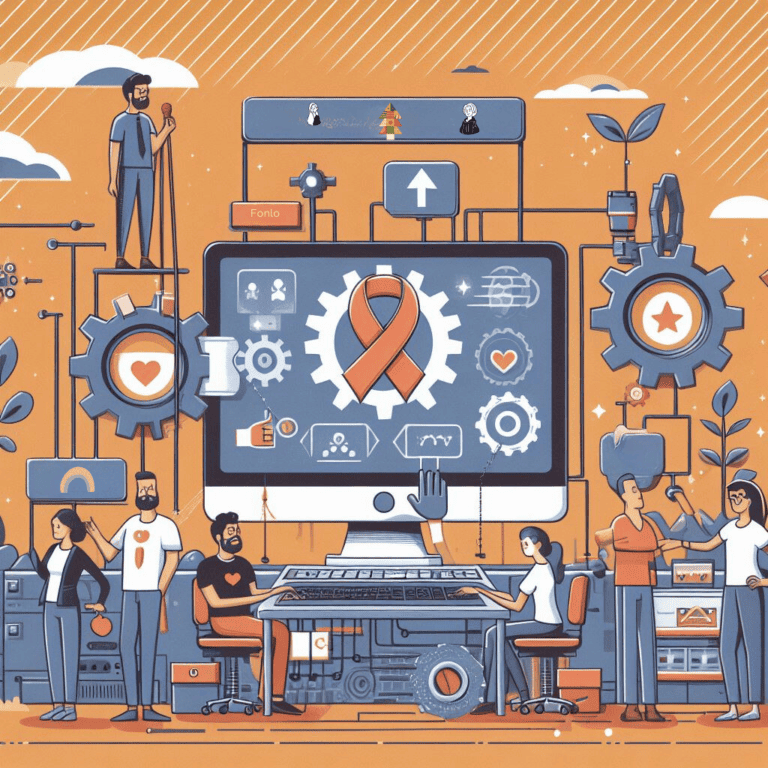


The Ultimate Nonprofit Operating System: Supercharge Your Mission with Notion
Running a nonprofit is hard enough without drowning in a sea of spreadsheets, email chains, and tools that don’t talk to each other. And let’s be honest: your team didn’t sign up to spend more time wrestling with software than actually advancing your mission.
You’ve probably got donor info in one place, grant deadlines in another, volunteer schedules scattered across three different platforms, and that one critical document? Good luck finding it in the shared drive that nobody’s organized since 2019.
There’s a better way, and it doesn’t involve adding yet another disconnected tool to your already chaotic tech stack.
Enter the Nonprofit Operating System. And when it comes to building one that actually works for how nonprofits operate in the real world, Notion stands out as the platform that gets it right.
In this guide, we’re walking through exactly why your nonprofit needs a dedicated operating system, how Notion’s flexibility and power make it the perfect foundation, and how to actually implement this without your team staging a mutiny. We’ll even hook you up with a free template to get started.
The Real Cost of Your Fragmented Tech Stack
Before we dive into solutions, let’s talk about what’s actually happening right now in most nonprofit offices.
You’re juggling donor management in Excel. Internal communication happens via email (and Slack, and texts, and the occasional Post-it note). Projects get tracked in… what are we using this week? Another project management tool that promised to be “the one”? Documents live in Google Drive, Dropbox, and someone’s personal hard drive because they “don’t trust the cloud.”
This fragmented mess creates real problems:
Information lives in silos. Want to see which donors fund which programs? Good luck piecing that together from three different sources. Trying to get a holistic view of your operations? That’ll take half a day and a spreadsheet wizard.
Your team wastes time on admin busywork. Switching between platforms, hunting for information, duplicating work because nobody knows someone else already did it. Hours evaporate on tasks that don’t move your mission forward.
Communication breaks down constantly. Someone didn’t see the email. The message got buried in Slack. That critical update from the board meeting? Still sitting in someone’s notebook. Disjointed channels breed misunderstandings, missed deadlines, and frustration.
Scaling becomes impossible. Your patchwork system barely works now. Try doubling your team or adding new programs and watch it completely fall apart. Growth shouldn’t break your infrastructure, but with fragmented tools, it absolutely will.
Compliance becomes a nightmare. When data and approvals are scattered everywhere, audit trails disappear. Inconsistent processes create compliance risks. Your board asks for documentation and you’re scrambling to reconstruct what happened from email threads and half-remembered conversations.
People burn out. Staff and volunteers spend more time on administrative tasks than on the impactful work they’re passionate about. That’s not why they joined your cause.
A proper Nonprofit Operating System fixes these problems by centralizing everything—information, processes, communication—in one unified environment. It creates a single source of truth that empowers your team instead of frustrating them.
Why Notion is the Best Platform for Your Nonprofit Operating System
Notion isn’t just another productivity tool promising to solve all your problems. It’s a genuinely flexible workspace that you can customize for virtually any organizational need.
For nonprofits specifically, Notion’s architecture provides the perfect canvas for building an operating system that’s both powerful and actually usable. Here’s why it works:
Build Your System Your Way, Not Someone Else’s Way
Most nonprofit software forces you to adapt your processes to fit the tool. You’ve got unique workflows that work, but now you’re contorting them to match what the software allows.
Notion flips this completely.
Modular building blocks. Notion uses customizable “blocks”—pages, databases, text, images, to-dos, embeds, everything. Arrange them however you want. Create dashboards, databases, wikis, project boards tailored precisely to your actual needs, not generic templates.
Databases that actually do things. Notion’s databases aren’t glorified spreadsheets. They’re dynamic, relational systems that can power almost anything in your organization:
- Donor & Volunteer CRM: Track donor information, giving history, communication logs, volunteer hours, all in one place with full relationship mapping.
- Grant Management: Manage the entire grant lifecycle from prospecting to reporting. Track deadlines, submissions, outcomes, and which grants fund which programs.
- Program Management: Structure your programs with databases for projects, tasks, stakeholders, impact metrics, all interconnected.
- Team Directory & HR: Keep track of staff, board members, roles, contact info, onboarding processes.
Linked databases and relations. This is where Notion gets powerful. Link your “Grants” database to your “Projects” database and your “Donors” database. See at a glance which donors fund which projects, which grants tie to specific programs, how everything connects. This holistic view is impossible with static spreadsheets.
Multiple views for different needs. Display database information as tables, boards (Kanban), calendars, galleries, timelines. Your program manager sees a Kanban board for tasks. Your development director sees a table view of donor interactions. Same data, format that works for each person’s specific job.
This customization means your Notion-powered operating system reflects your organization’s actual workflows, not some generic structure designed for “nonprofits in general.”
One Place for All Your Content (Finally)
Nonprofits generate mountains of content. Grant proposals. Impact reports. Marketing materials. Volunteer handbooks. Board meeting minutes. Policy documents. Event plans. Program guides.
Managing this effectively isn’t optional. It’s crucial for efficiency, consistency, and compliance. Notion excels as your centralized knowledge hub.
Single source of truth. Say goodbye to scattered files across different cloud drives, email attachments, and “I think Sarah has that document somewhere.” Store, organize, and access everything in one searchable place.
Rich content creation. Notion’s editor supports rich text formatting, images, videos, audio, embeds from other platforms (Google Docs, PDFs, Loom videos, presentations). Create visually engaging, comprehensive documents directly in your operating system.
Version history. Never lose important updates. Notion automatically tracks page history. Revert to previous versions, see who changed what and when. Invaluable for collaborative documents and audit trails.
Granular permissions. Control exactly who sees what. Share specific pages or databases with team members, volunteers, board members, external stakeholders with varying access levels (full access, can edit, can comment, can view only).
Internal wiki that doesn’t suck. Build a robust wiki housing everything from onboarding guides and HR policies to brand guidelines and program procedures. New team members get up to speed quickly. Existing staff always have a reliable resource instead of asking the same questions repeatedly.
Everyone in your organization has access to current, relevant information. Transparency increases. Communication friction decreases. Time saved multiplies.
Automate the Repetitive Stuff
One of the biggest time sinks in any organization? Repetitive administrative tasks that don’t require human intelligence but somehow consume hours every week.
Notion’s native automation features, plus integrations with tools like Zapier, can genuinely transform your efficiency.
Database automations (built-in). Notion’s native automations let you:
- Set reminders automatically: Upcoming grant deadlines, donor follow-ups, volunteer shift reminders, all sent without manual tracking.
- Update properties automatically: When a project status changes to “Completed,” automatically update the completion date. When a grant gets submitted, automatically create follow-up tasks.
- Create items automatically: When a new grant gets added, automatically generate associated tasks in your task database.
- Approval workflows: Board needs to approve budget changes or new programs? Create clear, auditable workflows. Board members comment, suggest changes, mark approval status directly in the system. Automated reminders if approvals are pending.
External integrations (Zapier, Make.com). For more complex automation, Notion integrates seamlessly with automation platforms, unlocking possibilities like:
- Donor data sync: Automatically pull new donor information from your online donation platform (Salesforce, Donorbox, whatever you use) into your Notion CRM database.
- Email notifications: Send automated emails when a new volunteer signs up, a project deadline approaches, or a grant deadline is looming.
- Form submissions: Automatically populate databases with data from website forms (volunteer applications, event registrations, contact forms).
- Social media scheduling: Link marketing content in Notion to your social media scheduler.
By automating routine tasks, your team focuses on high-value activities: building relationships, delivering programs, advancing your mission. Not manually sending reminder emails or copying data between systems.
Collaboration That Actually Works
Effective collaboration is essential for nonprofit success. Notion provides a robust environment for real-time teamwork and transparent communication.
Real-time collaboration. Multiple people edit the same page simultaneously, seeing each other’s changes instantly. Perfect for drafting grant proposals, developing program plans, brainstorming campaigns.
Contextual discussions. Every page and database item has a comment section. Discussions happen directly where the work lives, not in endless email chains scattered across inboxes. Conversations stay organized and accessible.
Mentions and notifications. Use @mentions to tag team members, drawing attention to specific tasks or questions. Notion’s notification system keeps everyone informed about relevant updates without overwhelming them with irrelevant noise.
Shared workspaces. Create team-specific workspaces or shared pages for departments, committees, project teams. Everyone accesses information pertinent to their roles without wading through irrelevant content.
Meeting management. Create meeting agendas, capture notes, assign action items, track completion—all linked back to relevant projects or goals. No more “what did we decide in that meeting three weeks ago?”
Beyond Basic Organization: Strategic Capabilities
The beauty of a Notion-based operating system? It’s not static. It evolves with your organization.
Strategic planning. Outline your strategic plan, track goals (OKRs/KPIs), link initiatives to specific projects and team responsibilities. See how daily work connects to long-term vision.
Board engagement. Create a dedicated board portal with meeting schedules, minutes, key documents, discussion areas, approval workflows. Transparency and ease of access significantly enhance board engagement and oversight.
Impact tracking & reporting. Design databases to track program outcomes, beneficiary data, key performance indicators. Generate reports directly from your Notion data to share with stakeholders and funders. Show impact with actual data, not anecdotes and guesswork.
Resource management. Track assets, manage inventory, streamline procurement processes. Know what you have, where it is, and when you need more.
Financial oversight. While Notion isn’t accounting software, it tracks budget allocations, expense approvals, financial reporting deadlines, integrating with your dedicated accounting system to provide visibility without duplication.
Let’s Address the Concerns You’re Probably Having
“Our Team Isn’t Tech-Savvy”
Good news: Notion is designed for humans, not engineers.
The interface is intuitive. Most people get comfortable within days, not months. It feels more like using a word processor than wrestling with complex software.
Start simple. You don’t need to build everything at once. Begin with one area (maybe grant management or meeting notes), let your team get comfortable, then expand. Gradual adoption beats overwhelming everyone with a complete system overhaul.
Notion has extensive help documentation, video tutorials, and a massive community. Your team has support resources when they need help.
“We’re Already Using [Other Tool], Why Switch?”
You don’t necessarily have to switch everything immediately. Notion can integrate with or complement many existing tools.
But here’s the reality: if your current setup is fragmented and frustrating, incremental improvements won’t fix fundamental problems. At some point, consolidation makes more sense than endlessly adding integration layers between disconnected tools.
Notion’s flexibility means it can replace multiple tools with one unified system, reducing costs, complexity, and cognitive load. One login, one interface, one source of truth. The time savings and efficiency gains typically justify the transition effort.
“What If We Outgrow It?”
Notion scales remarkably well. Small nonprofits with five people use it. Large organizations with hundreds of team members use it. The platform grows with you.
As your organization expands, your Notion workspace expands accordingly. Add new databases, pages, workflows, team members, whatever you need. The foundational structure remains, you just build on it.
Unlike rigid software designed for specific organizational sizes, Notion’s flexibility means it adapts to your growth instead of requiring migration to “enterprise” solutions.
“How Much Does This Cost?”
Notion offers free plans for nonprofits and educational organizations. Seriously. Their pricing for nonprofits is genuinely accessible.
Even paid plans are remarkably affordable compared to the combined cost of multiple specialized tools you’d otherwise need for CRM, project management, documentation, collaboration, knowledge management.
Calculate what you’re currently spending across all your fragmented tools. Notion typically costs less while doing more.
“What About Data Security?”
Legitimate concern. Nonprofits handle sensitive donor information, beneficiary data, financial records, strategic plans.
Notion provides enterprise-grade security: encryption, two-factor authentication, granular permission controls, SAML single sign-on for enterprise plans. Your data is protected.
For organizations with specific compliance requirements (HIPAA, FERPA, etc.), review Notion’s compliance documentation or contact their enterprise team about specific needs. They take security seriously.
How to Actually Implement This Without Chaos
Phase 1: Plan Before You Build
Map your current processes. Document how things work now, even if it’s messy. What information do you track? How do workflows happen? Where are bottlenecks? What frustrates your team most?
Identify priorities. Don’t try to build everything at once. Pick one or two high-impact areas to start. Maybe grant management is your biggest pain point. Start there. Maybe onboarding new volunteers takes forever. Focus there first.
Define your structure. Sketch out what databases you need, how they should connect, what workflows should be automated. Plan the architecture before you start building.
Get team input. The people doing the work daily know what would actually help. Involve them in planning. Their buy-in matters for successful adoption.
Phase 2: Build and Test
Start with the template. Use our free template as a foundation, not a rigid structure. Customize it for your specific needs.
Build gradually. Create one section at a time. Get it working well before moving to the next. Perfectionism kills momentum—build functional versions first, refine later.
Test internally before rolling out. Have a small group use the system, find issues, provide feedback. Iron out problems before involving your entire organization.
Create documentation. As you build, document how things work. Simple guides help with training and onboarding.
Phase 3: Launch and Iterate
Roll out gradually. Maybe start with one team or department. Let them get comfortable, work out kinks, then expand to others. Gradual rollout reduces chaos and provides early advocates who can help others.
Provide training. Host short training sessions showing people how to use what they need for their specific roles. Not everything all at once—just what’s relevant to each person.
Be available for questions. Especially in early weeks, make sure someone knowledgeable is available to help when people get stuck. Quick help prevents frustration and abandonment.
Gather feedback and iterate. Your first version won’t be perfect. That’s fine. Collect feedback, identify improvements, make adjustments. Your operating system should evolve based on actual usage.
Celebrate wins. When someone finds information instantly instead of hunting for 20 minutes, point it out. When a process gets faster, acknowledge it. Highlighting successes builds momentum and enthusiasm.
Stop Letting Your Tools Hold You Back
Your mission is too important to be hampered by disorganized, frustrating, disconnected tools.
A robust Nonprofit Operating System built on Notion isn’t a luxury. It’s a strategic advantage that frees your team to focus on impact instead of administration.
The barriers to getting started have never been lower. Notion is accessible, affordable, and genuinely flexible enough to work for your specific organization. You don’t need technical expertise or a massive implementation budget. You just need commitment to better organization and willingness to invest some time upfront.
The firms that embrace modern organizational systems gain immediate advantages in efficiency, collaboration, transparency, and scalability. More importantly, they create environments where people can do their best work instead of fighting their tools.
Your cause deserves better than drowning in spreadsheets and email chaos.
[Click Here to Download Your Free Notion Nonprofit Operating System Template!]
Build your operating system. Empower your team. Transform your impact.